WordPress 7.0 is here. This is what it means for your marketing and content team.

WordPress 7.0 in summary:
- You can now connect AI tools (Claude, ChatGPT, Gemini) directly inside WordPress and use them for writing, meta descriptions, alt text, and image editing without leaving the editor or waiting on a developer.
- Mobile layout control is now in your hands. Show or hide content blocks by device, straight from the editor, no dev ticket required.
- Revision history is now visual. See exactly what changed on a page, who changed it, and roll back if needed. No more deciphering code.
Most of what you have read about WordPress 7.0‘s AI features is not quite right. WordPress core is not adding an AI assistant. What it is adding is the infrastructure that makes AI tools actually work inside WordPress.
WordPress 7.0 has recently landed. For marketing and content teams, it is one of the more useful releases in years. It brings a standardised way to connect AI tools directly to your WordPress site, a more intuitive admin experience, and editor features that give content teams more control without having to wait on a developer.
One feature did not make it. Real-time collaboration was pulled from the release twelve days before launch after testing exposed stability issues that the team was not willing to ship around. It will be picked up in a future version. More on that below.
We asked Jackson Poultney, one of The Code Company’s Senior WordPress Engineers, who has been testing the release in beta, to share his take on what actually matters for teams working with WordPress day-to-day.
WordPress 7.0 does not add AI to your site. It makes connecting AI to your site far easier.
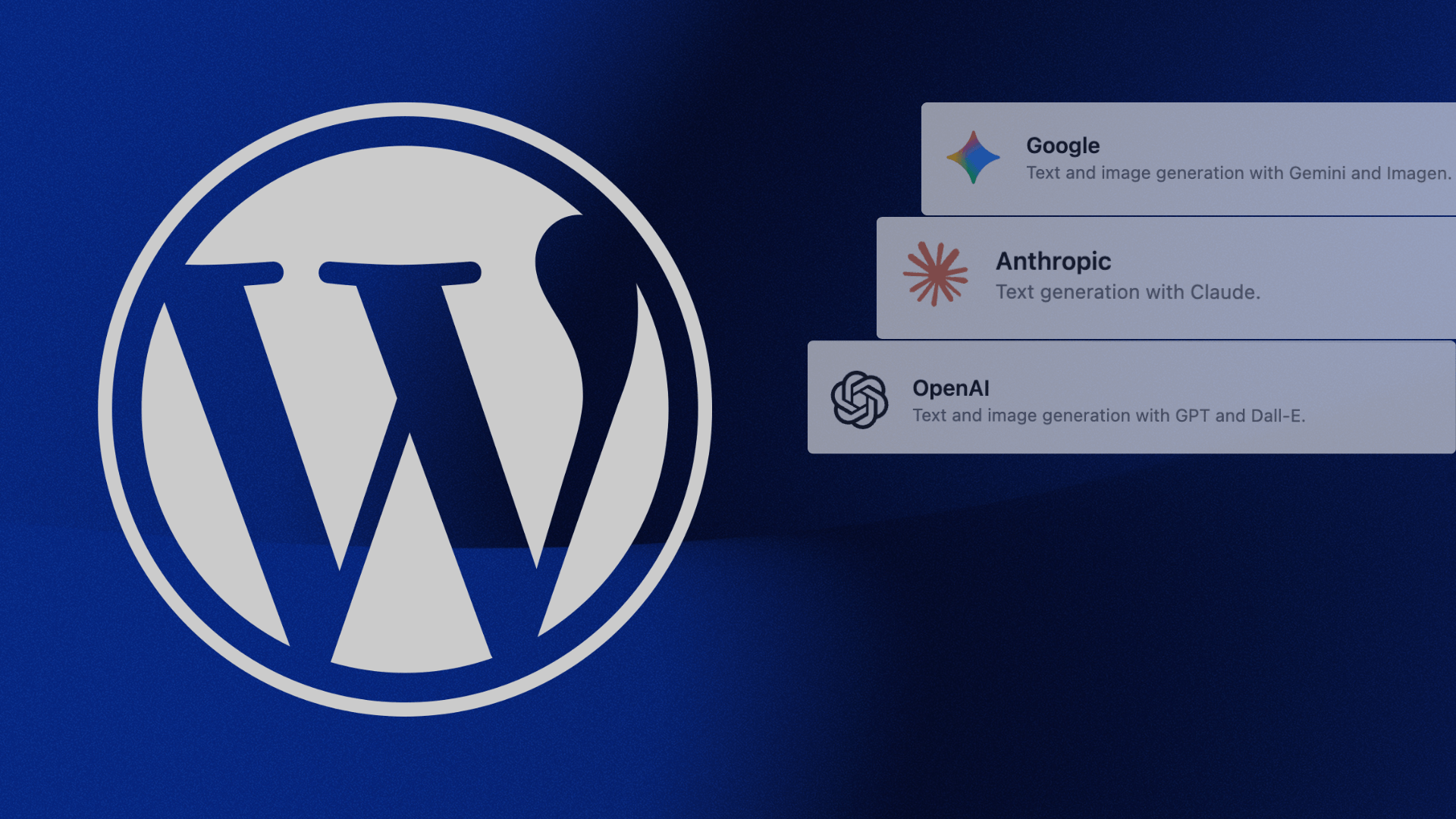
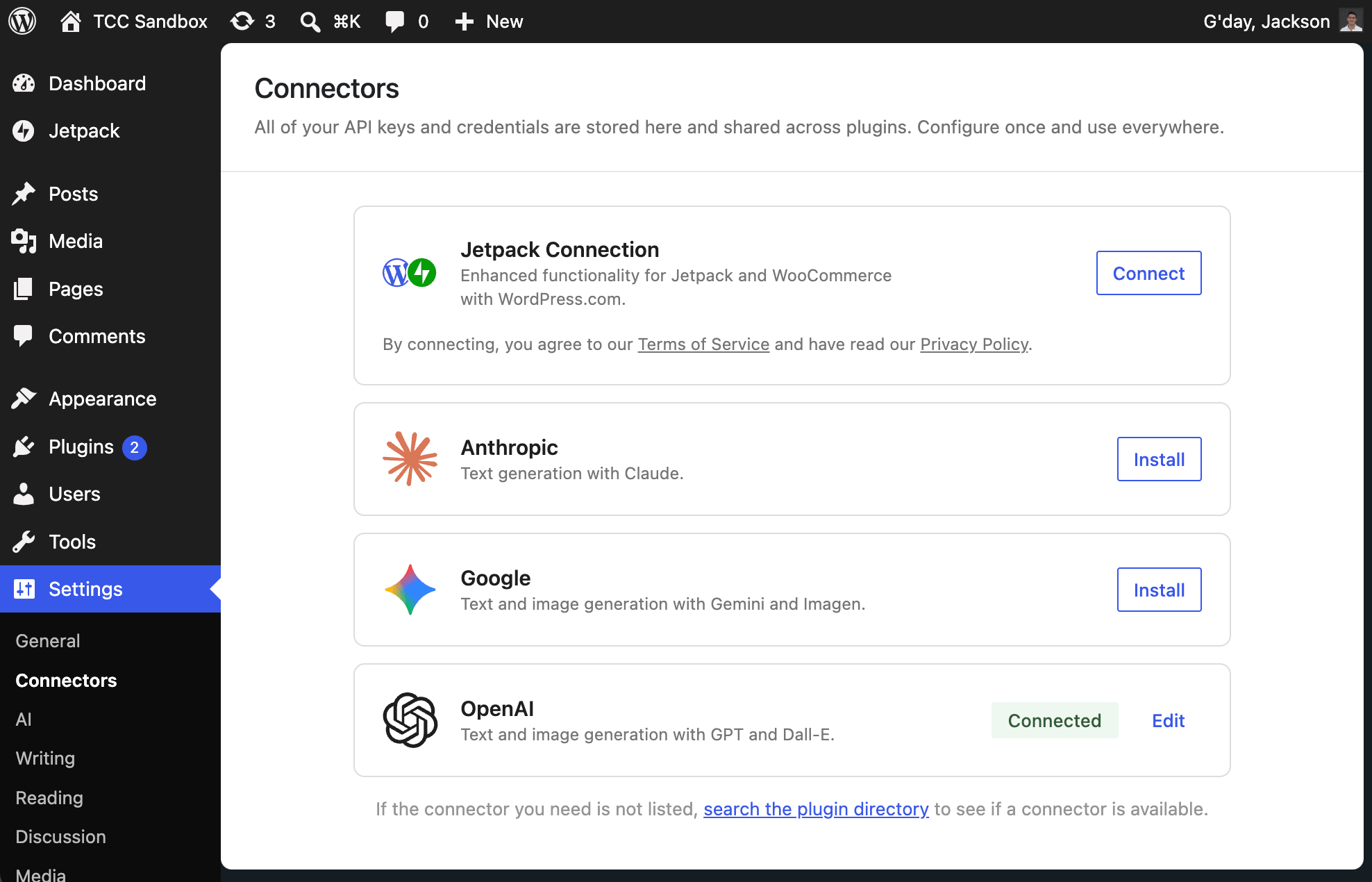
WordPress 7.0 introduced a feature called Connectors: a central, standardised dashboard section where your site can store API keys for AI services, including Anthropic, Google Gemini, and OpenAI. Previously, connecting an AI service to WordPress meant building a custom settings page or editing config files. That required a developer, but now marketing and content teams can easily set this up.
WordPress core doesn’t bundle any AI model or assistant. The AI capabilities your team can use, including writing assistance, image generation, alt text, meta descriptions, and content summarisation, come through WordPress’s own AI plugin (available through the Connectors section) or through mainstream plugins like Jetpack, which already has an AI product built around this new infrastructure.
What the AI layer actually is
The Connectors feature is essentially a standardised, central place to add your API keys. Before this, each plugin generally had to manage provider credentials in its own way, usually through a custom settings page, constants, environment variables, or config.
Also worth noting: API keys stored in the database are masked in the UI but not encrypted, according to the Connectors API dev note. That’s a very useful caveat if your angle is responsible implementation. The actual AI features your team will use, whether that is writing assistance, image tools, or meta generation, will come through the plugin layer rather than from WordPress core itself. That is not a limitation. It is how WordPress has always worked at its best.
“I think in the next six months, every major plugin will be racing to integrate with this. The plugins that already have AI options will go gangbusters. Watch for tools like Rank Math, Jetpack, and others may start building out proper AI-powered features that slot straight into this system.”
– Jackson Poultney, Senior WordPress Engineer, The Code Company
What it means in practice
Once your team activates the AI plugin and connects your preferred provider, you can use AI-assisted tools directly inside the WordPress editor. That includes:
- Writing assistance, excerpt generation, and content summarisation
- Page title and meta description generation
- Image generation, image editing, background removal, and object replacement within images
- Alt text generation for uploaded images
- Review notes and content suggestions within the editing workflow
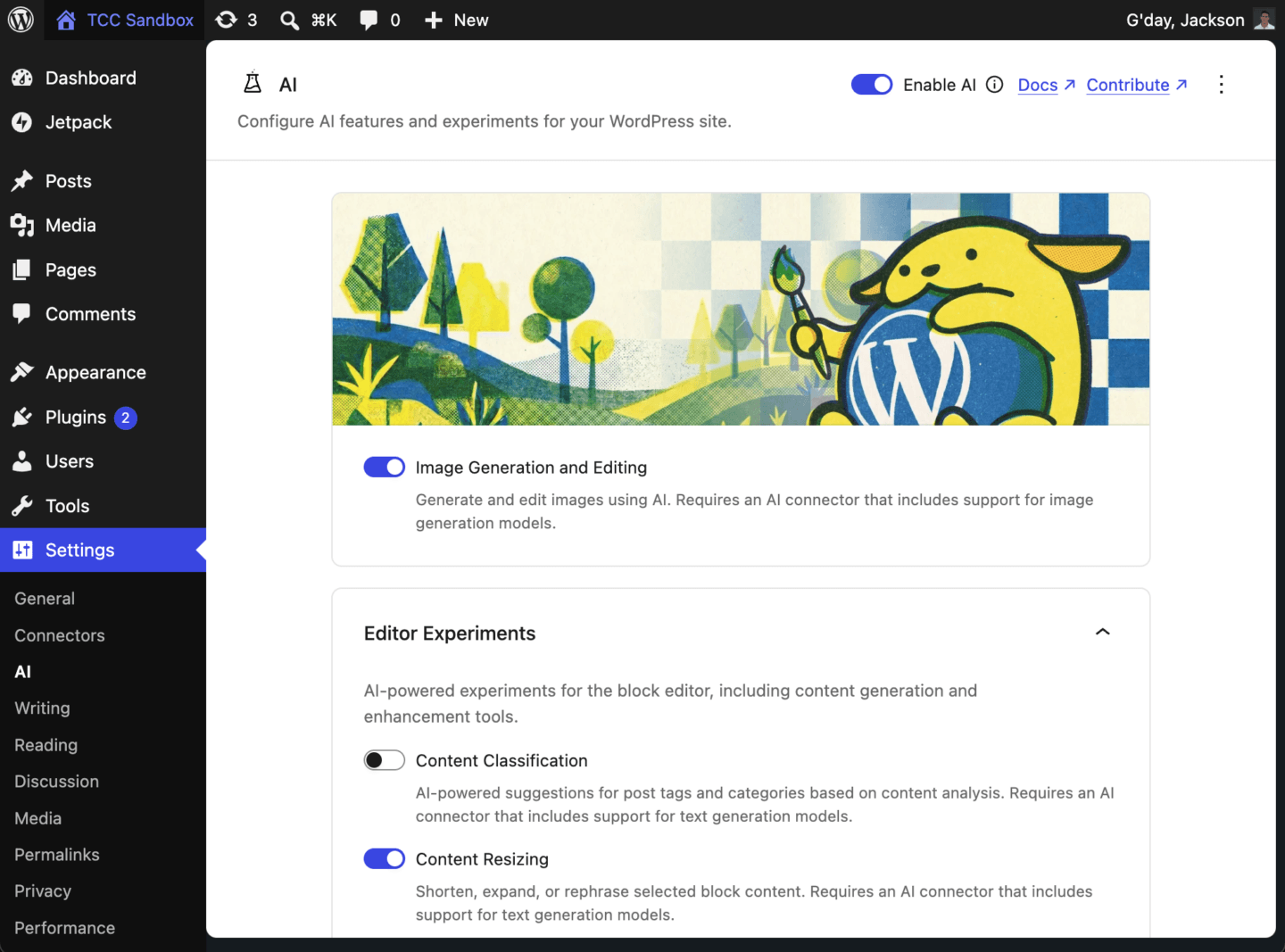
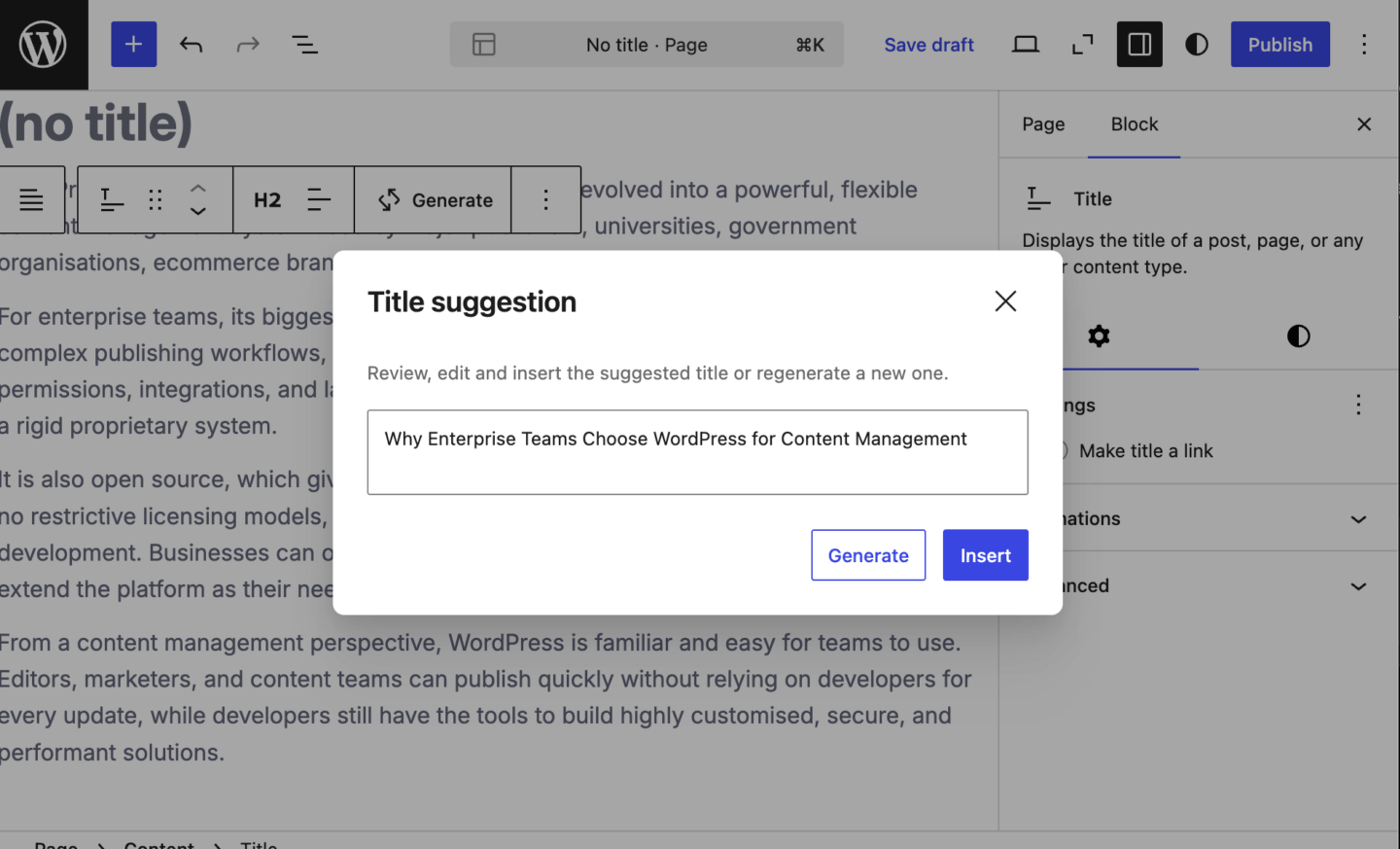
By incorporating these AI tools and features into the day-to-day workflow, marketing and editorial teams can move faster, reduce time on repetitive tasks, and free up headspace for the strategic work that actually moves the needle. None of this requires leaving WordPress or switching between tools.
How much trust should you give AI?
The Abilities API provides a standard way for WordPress core, plugins, and themes to register actions that AI tools, automation systems, and other interfaces can discover and potentially run, subject to permissions. The advice for teams right now: only activate AI plugins from trusted, well-supported sources. When you do, start with read-only permissions and only expand what the plugin can do once you understand exactly what you are enabling. The token usage on some of these tasks can also be significant, so it is worth factoring that into costs if you are on a usage-based AI plan.
“The Abilities API is powerful, but it needs to be handled carefully. It gives WordPress, plugins, and themes a standard way to describe actions that can be discovered and run by AI agents or automation tools. That could include powerful actions like reading, editing, creating, or deleting content, but only where plugins expose those actions and permissions allow them. If a plugin registers destructive abilities poorly, you are effectively giving an AI workflow the keys to parts of the site. I’ll be watching closely to see how responsibly plugin developers handle this.”
– Jackson Poultney, Senior WordPress Engineer, The Code Company
Content editors can now control what shows on mobile without asking a developer
Another more practical addition in WordPress 7.0 is the responsive editing mode. Content editors can now show or hide specific blocks of content depending on whether a visitor is on a desktop, tablet, or mobile. Until now, making those kinds of layout adjustments required either a plugin or a developer. An editor who wanted to hide a particular section on mobile had to raise a request and wait. In WordPress 7.0, content teams make that change directly in the editor without relying on a developer or plugin.
Marketing and content teams can now toggle visibility for different devices from within the editor itself. You can test how things look across desktop, tablet, and mobile without leaving the page you are working on. For teams managing campaigns or landing pages where the mobile experience matters, this reduces a real bottleneck.
The admin dashboard is cleaner, but it is not a complete overhaul.
The WordPress backend has had a visual refresh in 7.0, and it is worth setting expectations correctly here. The colour palette is slightly updated, navigation has rounded corners, and there is a new predictive loading behaviour that makes moving between sections feel faster.
A new search feature lets you find any page, post, or piece of content across your site from a single bar, without navigating through menus. The search feature is a useful addition here. If you are managing a site with hundreds of pages or posts, being able to find content without knowing exactly where it lives in the menu structure is a real time saver. Teams can also upload custom fonts directly into WordPress, which means brand typography no longer requires a developer to configure. Jackson’s honest assessment, having used the beta: it is a nicer experience, but not something most people will find dramatically different on day one.
” It is a little bit nicer. The colours are slightly different, there are smoother transitions and some predictive loading. I would not call it a complete overhaul. Most people probably won’t even notice. But the fact that it does not disrupt anything is probably a good thing.”
– Jackson Poultney, Senior WordPress Engineer, The Code Company
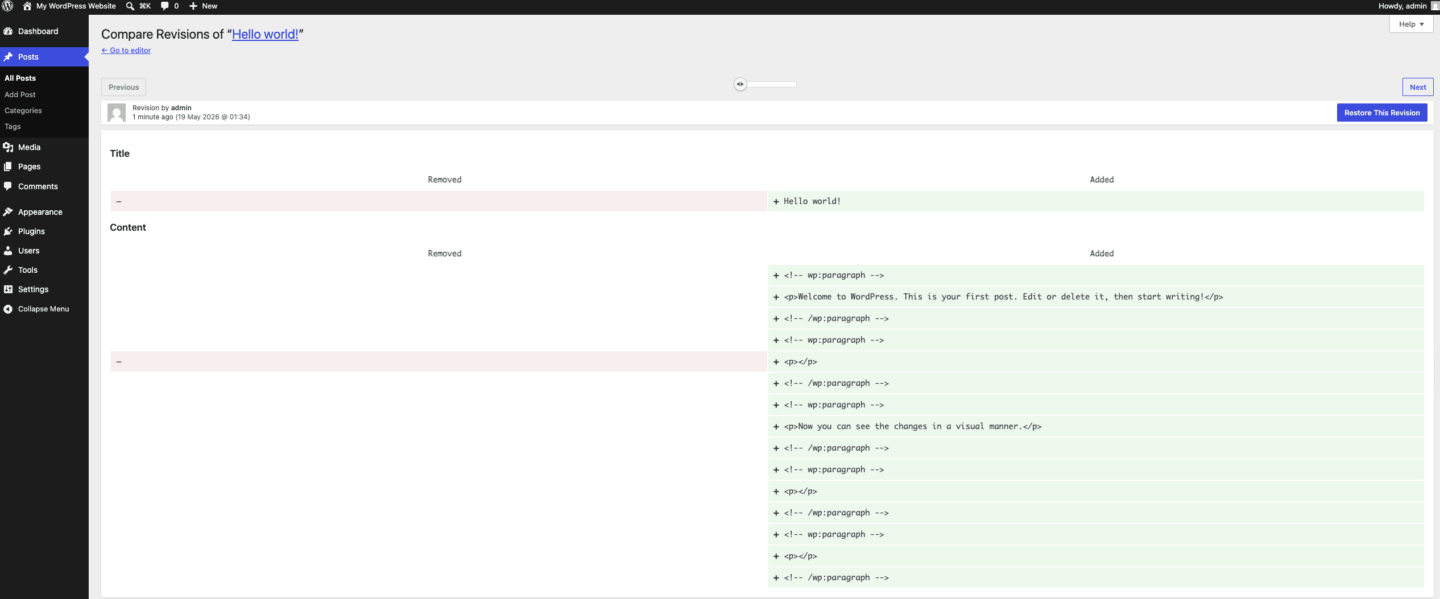
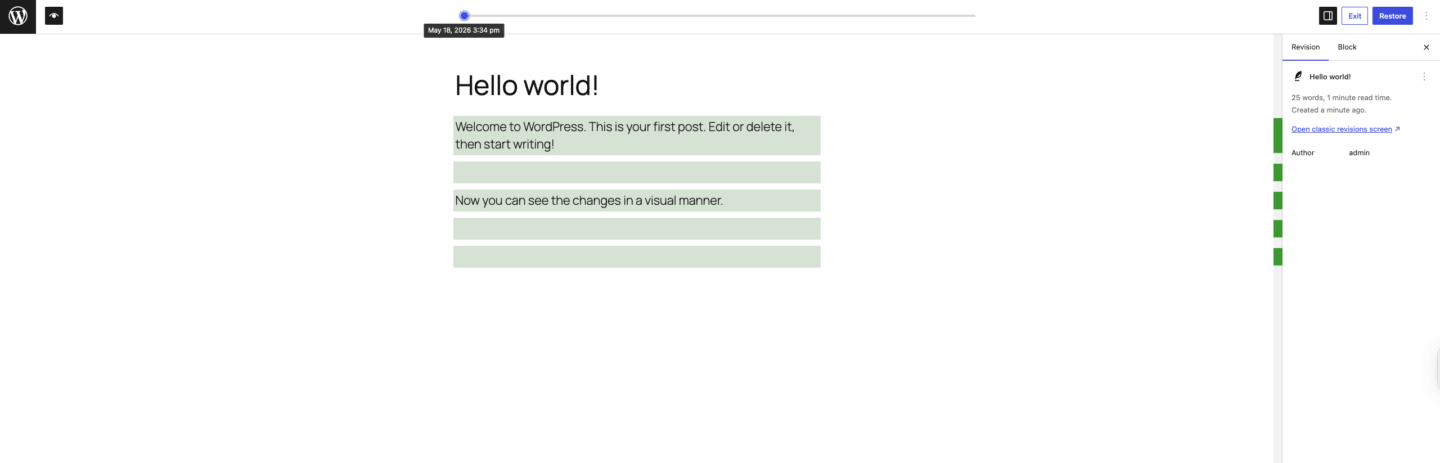
Revision history is now visual, not a wall of code
WordPress has always tracked content revisions, but the previous view showed line-by-line marked-up text, which was readable for developers but not particularly useful for editors trying to understand what actually changed on a page.
WordPress 7.0 makes the revision history visual. You can now see the rendered differences between versions, comparing what a page actually looked like before and after a change. No need to interpret code.
For content teams managing large libraries with multiple contributors, this makes version control straightforward. It is easier to see what changed, confirm who changed it, and decide whether to keep the update or restore a previous version.
What to expect in future updates
The feature that did not ship with 7.0 is worth knowing about, because it is coming.
Real-time collaboration will allow multiple editors to work on the same page or post at the same time, with changes appearing live for everyone. Think of how Google Docs works, applied directly in the WordPress editor. For editorial teams that currently pass drafts back and forth, or marketing teams collaborating on landing pages, this has the potential to remove a significant amount of friction from the review and publishing process.
It was pulled from 7.0 because testing revealed stability issues that the core team was not willing to ship around. When it does arrive, it will be ready and worth the wait.
What this means for newsroom workflows and CMS architecture is a bigger conversation.
What your team should do before moving to WordPress 7.0
A few things worth checking before making the move to WordPress 7.0:
- Give your editorial and marketing teams a quick heads-up about the admin changes. Even welcome improvements take a day of adjustment
- Review your active plugins for compatibility with 7.0, particularly anything related to image management, the admin interface, or existing AI tools you are already using
- If your site is running on an older PHP version, plan an upgrade to PHP 8.3. It is the recommended version for 7.0 and affects site performance
- Test the update in a staging environment before it goes live on your production site
- When you do activate any AI tools through Connectors, start with limited permissions and expand only once you understand what you are enabling
WordPress 7.0 is worth getting right from the start
This release changes how content teams work with AI, brings the admin experience into the current decade, and sets up the platform for the collaboration tools that are coming. For enterprise sites managing high volumes of content, a well-handled upgrade matters.
Our thoughts on this release
The most honest read on WordPress 7.0 is this: it is not a release that will impress anyone at a product demo. It will not generate the kind of coverage that real-time collaboration would have. But the releases that matter most for enterprise platforms are rarely the flashy ones. They are the ones that change what is possible underneath.
WordPress is not trying to become an AI tool. It is becoming the platform where enterprise teams can bring their own AI tools, on their own terms, with their own providers. For an open-source CMS, that is the right call. Trying to bundle AI into WordPress core would have meant picking winners, locking teams in, and building something that would need constant updating as the AI market shifts. Instead, WordPress has built a standard. What the plugin ecosystem does with that standard in the next six months will be far more interesting than anything in the 7.0 release notes.
At The Code Company, we have supported enterprise WordPress teams through more major releases than we can count. If you’re thinking about updating to WordPress 7.0 or need a team to manage the upgrade safely, let’s talk about your options.